

Pro Downloader
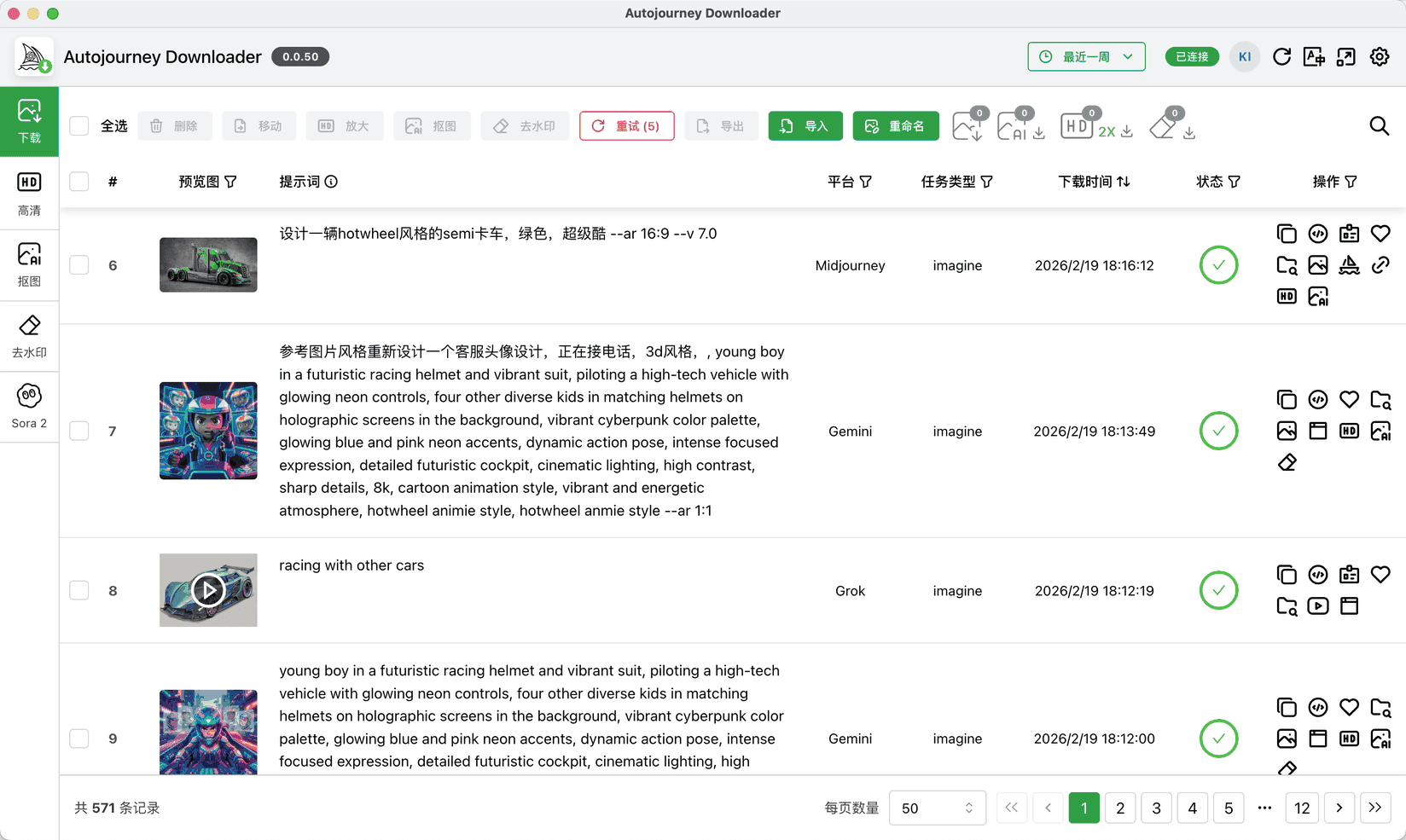
A powerful desktop management tool designed to work with extensions. It doubles as your asset management center — all images and videos generated by extensions auto-sync to the downloader, with multi-platform and multi-account unified management


Metadata Preservation
Automatically save all information for generated images and videos, including prompts, parameters, source links, Job IDs, storage folders, and more
Smart Search
Quickly search by prompt, platform, date, file type, task type, or favorites. Import/export support for effortless management of massive resources
AI Upscale / Cutout / Erase
6 built-in upscale models with 2-8x local AI upscaling, batch auto-cutout, and image/video watermark removal
Multi-Platform Connection
Connect multiple platforms, accounts, and pages simultaneously. All VIP accounts can be merged into a single downloader for centralized management
Getting Started
4 simple steps to start using the downloader
Ensure Membership Is Activated
The downloader is available for VIP members only. Please activate your membership first
Install the Downloader
Download and install the downloader for your operating system
Download failed or too slow? Try the backup download link
 If you see "Windows protected your PC", click "More info", then click "Run anyway" to proceed with the installation
 If you see "app is damaged" or "cannot verify developer", please refer to the solution guide View Solution
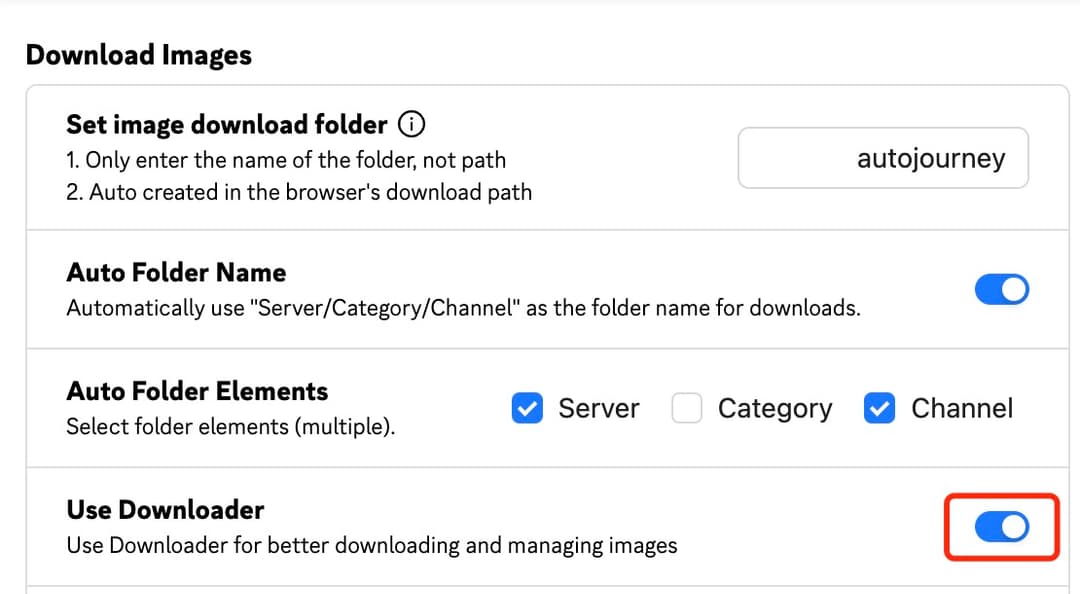
Enable Extension Setting
Open the Browser Extension, and switch on "Image Download - Use Downloader to Download" in the settings
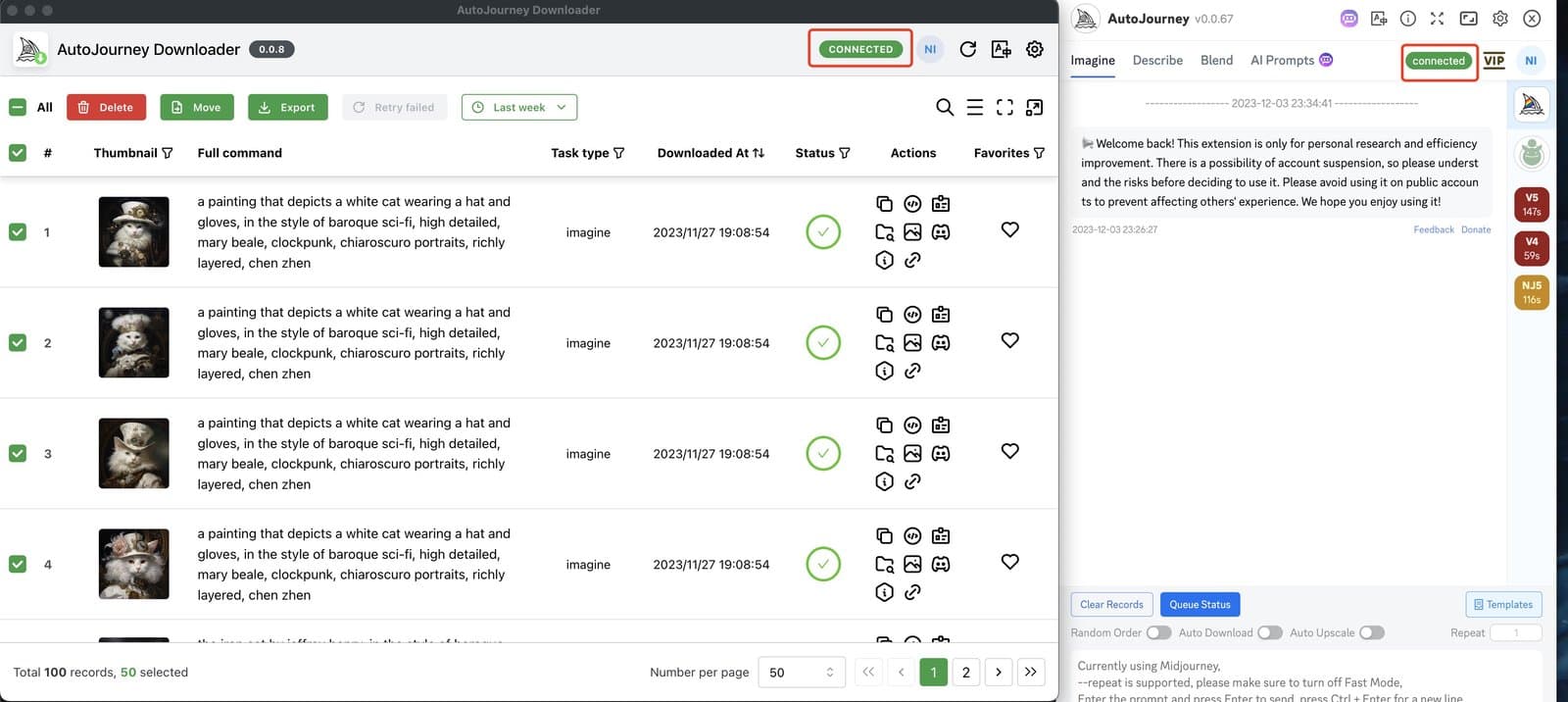
Start Downloading
Open the downloader and it will automatically connect to the extension. Images will be downloaded through the downloader automatically
Why Use the Downloader?
Break through browser limitations for a better download & management experience
- Browser crashes during bulk downloads
- Chaotic download locations with meaningless filenames
- Loss of prompts, parameters, and other key metadata
- No batch management or search capability
- Stable downloads without browser limitations
- Auto-organized folders with original filenames preserved
- Full metadata preservation (prompts / parameters / links)
- Smart search + batch export
- Built-in AI upscale / background removal / watermark removal features